What happens to podcast chapters when you cut the intro?
Cut an introduction from a podcast and the interview starts earlier. Its chapter menu will still send listeners to the old time unless the markers change too.
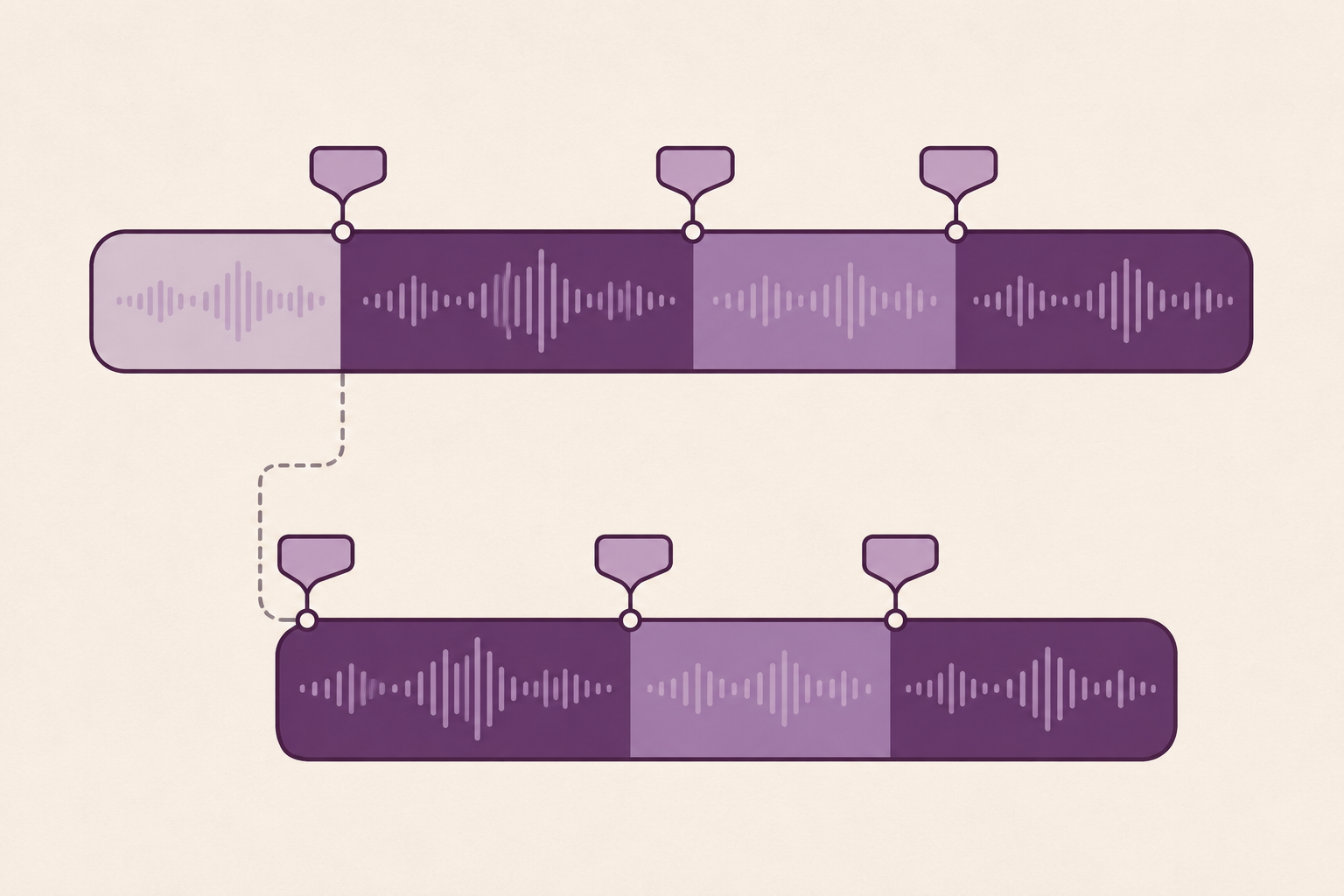
A chapter attaches a title to a time in the episode. A listener might tap “Interview” to jump straight there. After an edit, a chapter may need to start earlier, begin at zero because it is already playing, or disappear because its audio was cut.
The short answer
We shortened a test episode at five points. With one method, both edits that landed exactly between chapters left two titles at the start. A different method kept old times, leaving a chapter at or beyond the end in three of five files. Rebuilding the chapter list produced the intended titles and times for all five edits.
An intro cut from an episode
What happens to chapters when an intro is cut
We made a 33-second file with 3 distinct tones representing an intro, a main section and an ending. Chapters marked their starts at 0:00, 0:09 and 0:21, so we could compare each exported chapter list with the sound.
In one export we told FFmpeg to start nine seconds into the original audio, a setting called seeking. The listener heard the main section immediately and the ending 12 seconds later. Yet the chapter list offered both “Intro” and “Main section” at the beginning. Cutting 21 seconds left only the ending to hear, with both “Main section” and “Last section” listed at 0:00.
Where did the chapter links point after each cut?
Each row is one edit of the same test episode. It shows the shortened running time and what happened to chapter entries under three ways of making the edit.
| Seconds removed | Seconds of audio | Titles at 0:00 after seeking | Times at or past the end after filtering | Titles at 0:00 after rebuilding |
|---|---|---|---|---|
| 3 | 30 | 1 | 0 | 1 |
| 9 | 24 | 2 | 0 | 1 |
| 12 | 21 | 1 | 1 | 1 |
| 21 | 12 | 2 | 1 | 1 |
| 24 | 9 | 1 | 2 | 1 |
Why 2 chapters can start at 0:00
In the tested version, when FFmpeg copies chapters after a seek, it discards a chapter that ends before the cut but retains one that ends exactly at it. Both that chapter and the next one can then start at 0:00 in the export. [1] [2]
Cuts at 3, 12 and 24 seconds fell within sections, so only the chapter for the section still playing at the cut appeared at 0:00. For example, after the 3-second cut, 6 seconds of the intro remained and its title still described the opening sound.
When chapter times reach or pass the end
We also trimmed the audio with a filter while allowing FFmpeg to copy the chapters automatically. All 5 exports kept the original chapter times: after the 9-second cut, for example, the ending began at 0:12 but its chapter still pointed to 0:21.
In 3 of those 5 exports, at least 1 chapter began at or beyond the end of the decoded audio. The shortest export contained 9 seconds of audio but still had chapter entries at 0:09 and 0:21.
How to check a shortened episode
Remove chapters for sections cut entirely and make sure the last chapter starts before the audio ends.
For an edit at the beginning, move later chapter starts earlier by the time removed. A chapter already in progress at the cut should now start at 0:00. In our file, removing nine seconds moved the ending from 0:21 to 0:12. For edits in the middle, check the chapter times directly against the finished audio.
Podcast apps can get chapters from the episode description, the public feed or the audio file. Update each place where you maintain them from the version you upload, then try the first and a later chapter in the app your listeners use. [3]
Check your chapter list after the edit
Listen to the start
Keep the title that describes what listeners hear at 0:00.
Check the jumps
Play from a later chapter and check that its title matches the section you hear.
Update the show notes
If you list timestamps in the episode description, enter them from the same finished edit.
How we tested chapter times
We made the 33-second episode with FFmpeg 9.0.2, using AAC audio in an M4A file. We removed the first 3, 9, 12, 21 or 24 seconds. We tried both placements of the seek setting, an audio filter, seeking with chapter copying turned off, and adding a revised chapter list in a second pass. Only that last approach produced the intended titles and start times for all five cuts. Each run also included the original uncut file.
FFprobe and a separate reader of the file’s Nero chapter records returned the same titles and times across 30 measurements: 25 edited files and five measurements of the uncut file.[4]
We checked the sound for tone changes every quarter second. Both seek settings gave the same chapter results at each cut. For the audio filter, a chapter that started at or beyond the end of the remaining sound counted as out of range. Podcast apps may display those file records differently.
The ZIP includes the recorded results and instructions in English for recreating the audio and repeating the tests.
Sources and notes
A controlled test of 5 cuts in an M4A podcast file
- FFmpeg 9.0.2 source code for copying chapters during an export.
- FFmpeg documentation for chapter copying and mapping.
- Apple Podcasts for Creators, chapter options for podcast publishers.
- FFmpeg formats documentation for the chapter records written in the test files.