Upload speed for streaming: what a fast download leaves out
A reassuring download result answers only part of the preparation question for a live product demo. We examined paired upload and download measurements on two October days to see how often the upload side fell below a stated video-encoding recommendation.
An original analysis of US-geolocated M-Lab NDT7 measurement pairs on October 1 and October 8, 2026, UTC.
Abstract
Before a live product demo, check upload separately even when download looks fast. In US-geolocated M-Lab measurements on October 1 and October 8, 2026, uploads were below 14.128 Mbps in 24.4% and 23.4% of paired records with downloads from 100 to under 300 Mbps. With downloads of at least 300 Mbps, the corresponding shares were 9.6% and 8.8%.[1]
The chosen 14.128 Mbps combines YouTube's recommended H.264 1080p30 video setting and stereo audio.[2] These are measurement pairs, potentially including repeat clients, not population estimates or predictions of stream failure. The broad pattern remained after excluding zero-valued summaries, although percentages varied across software groups. For businesses and creators, the next step is practical: keep both speed readings and rehearse the intended broadcast.
Imagine a small business getting ready to demonstrate a new product live. The presenter has a script, the camera is set up, and the team has invited customers. Someone runs a speed test. The download number looks fast, so the internet connection drops off the preparation list.
That is an understandable shortcut. Download speed describes the direction used to receive much of what the team sees online. A broadcast adds a different job: sending the camera, sound and screen demonstration out to the streaming service. A result for one direction does not describe the other.
For a creator or business, the useful question is therefore more specific than “Is this connection fast?” It is “What upload result do we get, and what happens when we send the broadcast we actually intend to run?” Those questions can lead to a rehearsal, a different format, or a backup plan.
We wanted to put a measured scale around this gap without inventing a streaming-readiness score. Using M-Lab's public measurements, we paired upload and download records and compared upload results within four fixed download bands. We applied the same rules to two dates, with the second date selected before we examined the first day's outcomes.[1][3]
Receiving a presentation and broadcasting it are separate jobs

Faster downloads still left an upload question
The comparison becomes particularly useful in the higher download bands. On October 1, 2026, nearly a quarter of the retained pairs between 100 and under 300 Mbps download had an upload result below 14.128 Mbps. A week later, the proportion was slightly lower, at 23.4%. Even in the band starting at 300 Mbps, the corresponding shares were 9.6% and 8.8%.
Those percentages use a different denominator for each band and date. The table shows all four bands so that the faster results sit in context. The bands refer to measured download rates, not the speeds advertised in an internet subscription.
Upload below the chosen payload, by measured download speed
US-geolocated NDT7 measurement pairs on October 1 and October 8, 2026, UTC. Each share uses the retained pairs in its own date and download band.
| Measured download speed | October 1: below 14.128 Mbps | October 1: total pairs | October 1: share below | October 8: below 14.128 Mbps | October 8: total pairs | October 8: share below |
|---|---|---|---|---|---|---|
| 0 to under 25 Mbps | 86,010 | 115,479 | 74.5% | 83,277 | 110,933 | 75.1% |
| 25 to under 100 Mbps | 67,524 | 179,444 | 37.6% | 65,199 | 172,042 | 37.9% |
| 100 to under 300 Mbps | 51,852 | 212,675 | 24.4% | 45,505 | 194,290 | 23.4% |
| 300 Mbps or more | 22,801 | 237,588 | 9.6% | 19,453 | 221,617 | 8.8% |
Uploads below 14.128 Mbps were less common in each higher download band on both days. That relationship is useful, but the remaining shares are why a download-only check leaves work unfinished. Being in a faster download band did not mean that every paired upload reading exceeded the chosen payload.
For the business preparing its demo, the useful next action is to keep both numbers from the speed test. If upload is much lower than download, investigate the planned broadcast with the actual setup before deciding whether to change the format or spend money on a different connection.
What the 14.128 Mbps comparison means
The choice of comparison matters. YouTube's encoder guidance lists a recommended H.264 video bitrate of 14 Mbps for 1080p at 30 frames per second, plus 128 Kbps for stereo audio. Adding the two gives 14.128 Mbps. The same guidance lists a lower H.264 video minimum of 5 Mbps for that resolution and frame rate.[2]
A recommendation for encoded video and audio is different from a minimum internet speed. Our measurement is different again: a short transfer to an M-Lab server. Its native rate is calculated from server-side TCP bytes and elapsed time, rather than from a sustained broadcast to YouTube.[3][6][7]
Consequently, the table is a comparison between two quantities, not a pass/fail test. A reading below the selected payload is a reason to examine the intended setup. It does not show that a particular stream would fail. A reading above it does not certify a successful event, either. The route to the streaming service, changes during the event, other traffic and the device running the encoder still matter.
This distinction also protects the budget. A team that treats 14.128 Mbps as a universal purchasing requirement might spend money before checking its actual settings and performance. A team that treats an above-comparison reading as a guarantee might skip the rehearsal. Neither conclusion follows from these measurements.
The more useful sequence is to choose the intended picture, motion and sound settings, note their payload, and test the actual broadcast. There is no fixed bandwidth multiplier or upgrade recommendation in this analysis.
The pattern repeated, but the percentages moved
We checked whether the finding depended on one comparison setting. Two additional comparisons were fixed in advance: 10.128 Mbps and 17.128 Mbps, derived from other recommended encoder settings in the same YouTube table.[2] The complete results are in the downloadable analysis.
For the 100-to-under-300 Mbps download band, the lower comparison produced shares of 18.9% on October 1 and 18.1% on October 8. At the higher comparison, they were 28.0% and 26.8%. The denominators remained 212,675 and 194,290 pairs. In the 300-plus band, the corresponding shares ranged from 7.9% to 11.0% on October 1 and from 7.1% to 10.2% on October 8, using 237,588 and 221,617 pairs. The setting changes the comparison, so there is no single percentage for “streaming.”
We also repeated the calculation after excluding any pair with a zero-valued upload or download summary. Some source paths can produce zero when final measurements are absent, so a native zero is not automatically evidence of a transfer that sent nothing.[6] In the 100-to-under-300 Mbps band, the result became 51,313 of 212,136 pairs (24.2%) on October 1 and 45,047 of 193,832 (23.2%) on October 8. In the 300-plus band, it became 22,122 of 236,909 (9.3%) and 18,764 of 220,928 (8.5%), respectively. Removing zeros changed each of the four main band percentages by less than 0.3 percentage points on either day. It did not remove the practical contrast.
A larger change appeared within one server-software group. For version v0.25.2 in the 300-plus download band, the share of uploads below 14.128 Mbps fell from 4,803 of 26,338 pairs (18.24%) on October 1 to 1,418 of 21,217 (6.68%) on October 8. That difference belongs beside the headline result. It shows why a percentage from this analysis should not become a universal planning rule.
It does not establish that the software caused the change. The mix of networks, devices, routes and measurement clients may differ between days. The same client may also appear more than once, including on both dates. We publish the complete time-of-day, client-library and server-version breakdowns so that readers can inspect that variation rather than relying only on an overall figure.[1]
Turn the finding into a useful rehearsal
Start by keeping the upload result visible. Write down where and when the check happened, which device and connection were used, and what else was happening on the network. This makes the result easier to interpret later. It also helps prevent a reading from one location being treated as evidence about a different venue.
Next, rehearse the part of the demo that asks the most of the real setup. For a product walkthrough, that might mean sharing the screen while speaking and switching between the camera and the product. For a physical demonstration, it might include motion and detailed close-ups. Use the intended encoder, account, platform and connection so that the rehearsal answers the event's question. YouTube itself advises testing with representative audio and movement and monitoring stream health.[2]
Give each representative scene a name in the rehearsal notes: opening camera view, close-up demonstration, screen-sharing walkthrough, audience questions. Note when each scene starts and which details an observer should be able to see or hear. If a problem appears, record the scene, time and visible or audible symptom so that the presenter and observer can compare their notes.
Keep observations separate from explanations. “The picture broke up during screen sharing” is an observation worth recording. “Our internet provider caused it” is a diagnosis that requires more evidence. A short M-Lab measurement cannot identify the cause of a problem seen on a different route to a streaming service.
If the rehearsal reveals a problem, change one part of the planned setup and test again. Repeat the same scene and record the setting you changed, the conditions that stayed the same, and what each observer saw. Note any unavoidable differences, such as another device joining the network. A better retest is useful evidence about that attempt; it does not isolate a cause when other conditions also changed. When the format changes, test the new format rather than relying on the earlier result.
Finally, decide what the audience should receive if the live demonstration is interrupted. A prepared video or written walkthrough can preserve the explanation while the team handles the interruption. Assign someone to keep that material accessible during the event. Our video-script template can help prepare the demonstration, while our research on developer marketing and documentation explores a related question: what useful material to place alongside a video.
Turn a speed reading into a rehearsal plan
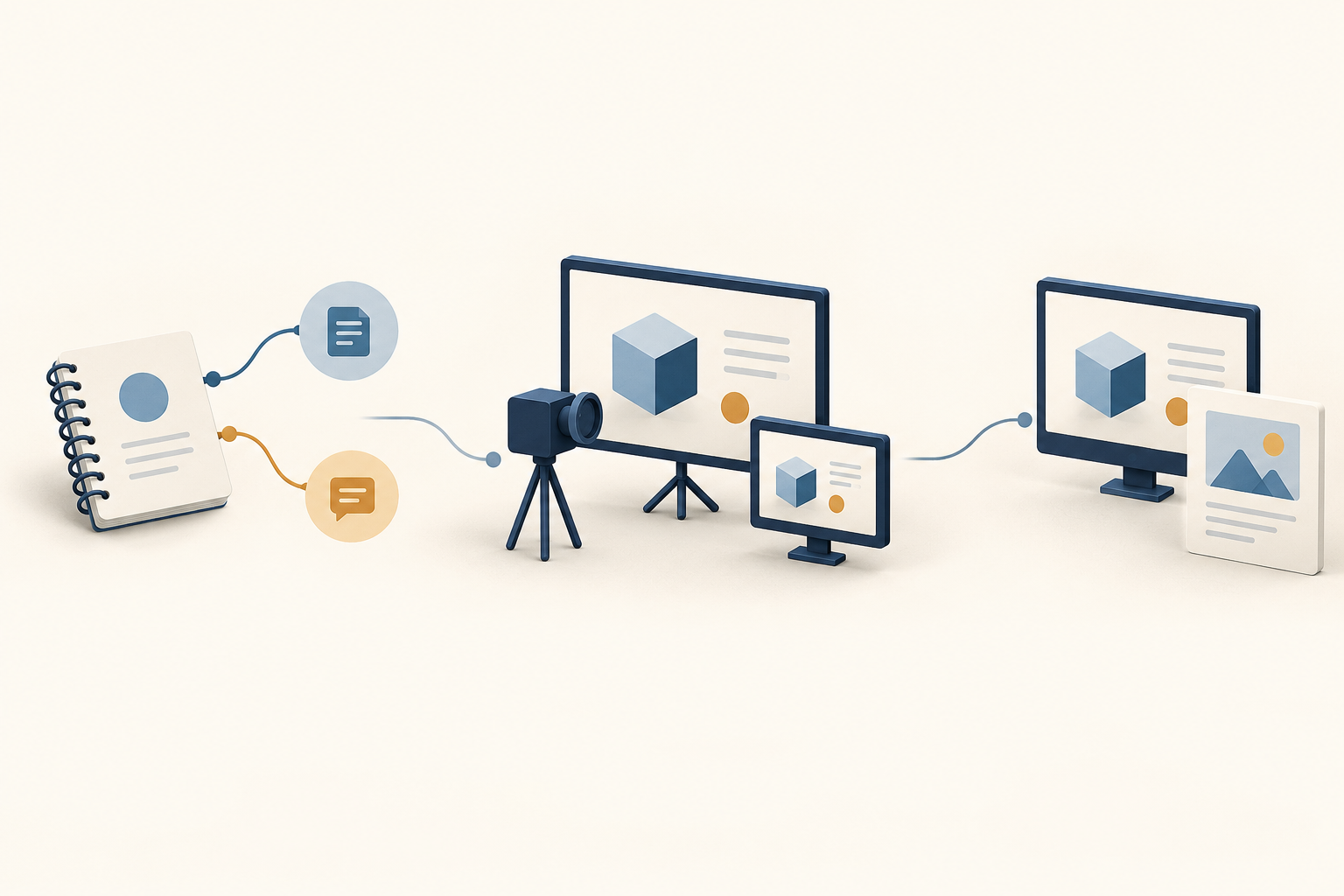
Keep both readings
Note upload, download, place and time.
Rehearse the actual demo
Use the intended setup and observe the audience view.
Choose the delivery plan
Record what worked in rehearsal and prepare an alternative.
A fictional product-demo planning example
Consider a fictional five-person software business preparing a live onboarding demonstration. Its assumed speed-test readings are 180 Mbps download and 11 Mbps upload. These numbers illustrate the worksheet; they are not an observed business in the M-Lab data.
The team intends to use H.264 video at 1080p and 30 frames per second with stereo audio. Its upload reading is below the 14.128 Mbps recommended-payload comparison used in this study. The team puts the upload reading on its rehearsal notes alongside the planned encoder settings, ready to compare with what it observes during the demonstration.
The team books a rehearsal using the same laptop, connection, encoder and presentation sequence planned for the event. One colleague presents, another watches the audience view, and a third notes the platform's stream-health information and any visible or audible interruptions. They include the screen-sharing sequence where customers need to read small interface details.
Before testing, they agree how they will respond to an unsatisfactory rehearsal: try a deliberately chosen alternative setup, test it again, and prepare a short video and written steps if they need another delivery format. No successful rehearsal or performance improvement is assumed here. The example ends with a concrete plan to gather the missing evidence.
A preparation sheet you can use without signing up
Start with the event. Copy the complete preparation sheet into your event notes without signing up, and keep it with the script. Name the audience, location, planned date and start time, presenter, and colleague who will check the audience view. Identify the moment viewers most need to see or hear clearly.
Describe the planned setup. Record the streaming platform, device, encoder and connection, followed by the resolution, frame rate, video codec and configured video and audio bitrates. Note other activity expected on the device or network so that the rehearsal notes describe the intended conditions.
Keep the separate speed check. Write down its date, time, location and tool, then both download and upload readings with units. Note how that check differs from the planned broadcast setup. A reading without its context is harder for a teammate to interpret later.
Record the rehearsal. Name the actual sequence tested, including motion, sound and screen sharing. Keep audience-view observations and platform stream-health observations together. If you changed a setting, record what happened in the next test. Complete these fields after testing; leave unfinished checks marked as unfinished and assign a person to each.
Make the delivery decision. Record the format and settings selected after rehearsal and the reasons for the choice. Name the alternative material ready if the live demo is interrupted and the person who will tell the audience about a change. After the event, keep the useful explanation available. A YouTube-description template can help organize the video and companion links for customers who could not attend.
- Download the four-band comparison table (CSV)
- Download the full analysis, preparation sheet and fictional example (ZIP)
No sign-up required. The ZIP contains both dates’ full aggregate results, the blank preparation sheet and the fictional example in all ten languages. Technical reproduction instructions are in English. Measurement data are attributed to M-Lab and released under CC0 1.0.
How we built the comparison
We used the public M-Lab NDT7 union view for US-geolocated records on October 1 and October 8, 2026. Each included pair had exactly one upload and one download record sharing an authorization token and server identity, with starts no more than 60 seconds apart and both inside the selected UTC day. Additional checks covered clocks, connection identifiers and source versions.[1][3]
After those checks and exclusion of invalid rates, the analysis retained 745,186 pairs on October 1 and 698,882 on October 8. Missing upload or download partners were excluded, never filled in as zero. Each table percentage divides the below-comparison count by the retained pairs in that date's download band.
Earlier research has already paired M-Lab upload and download observations and examined their context.[4] Our contribution is this dated, reproducible comparison for a practical broadcast-planning question. It describes the selected measurements, not the prevalence of slow uploads among US businesses or creators.
The ungated download contains the fixed protocol, exact queries, source notes, full selection counts and all 264 planned result cells for each day.[8] Those cells include overlapping breakdowns, not 264 independent studies. The offline script reproduces the aggregate arithmetic; rerunning the source queries is a separate step. For the next demo, the practical action is smaller: keep the upload reading, rehearse the actual presentation, and make the delivery decision from what the team observes.
Sources and notes
- The M-Lab NDT Data Set, October 1 and October 8, 2026. Influence IQ analysis of measurement-lab.ndt.ndt7_union, including M-Lab-managed and host-managed measurements. Dates are UTC and country selection uses client geolocation. Each reported unit is an eligible record pair, not necessarily one user-interface test invocation or a distinct person, business, subscriber or network. The same client or network can contribute multiple pairs. Full aggregate results, exact SQL and the fixed protocol accompany this article; the download excludes individual measurement records and client addresses. M-Lab data are released under CC0, as explained in note 5.
- YouTube Help, Choose live encoder settings, bitrates, and resolutions, checked October 21, 2026. The fixed secondary payloads add stereo audio to the recommended video settings for AV1/H.265 1080p30 (10.128 Mbps total) and H.264 1080p60 (17.128 Mbps total).
- The pair key uses the full archived authorization token plus annotated Site and Machine. Groups with extra same-direction records are excluded; missing partners are not imputed. Both directional starts fall within the chosen day and no more than 60 seconds apart; an end may cross midnight. Decoded token claims and source-backed target naming were checked, without claiming retrospective signature verification. Both records must carry the same source-qualified server version and commit. The pinned M-Lab NDT7 view defines the native directional summaries. Full source qualifications and exclusion counts are supplied in the analysis package.
- The Importance of Contextualization of Crowdsourced Active Speed Test Measurements, ACM Internet Measurement Conference, 2022. Earlier work paired upload/download observations and examined the influence of subscription tiers, devices and measurement methods. Its pairing rules differ from this study’s token-and-server rule. We do not transplant its historical effect sizes into the 2026 results. Client-library and server-version labels in the present analysis describe measurement metadata, not identities or proof of manual versus automated use; small or empty groups remain visible in the download.
- Measurement Lab releases its measurement data under CC0 1.0 and requests dataset attribution. This article attributes The M-Lab NDT Data Set for October 1 and October 8, 2026; the aggregate comparisons and interpretation are Influence IQ’s. Data licensing is distinct from licensing of the website’s explanatory content.
- Pinned M-Lab NDT7 parser source. Native a.MeanThroughputMbps uses final server TCP BytesReceived for upload or BytesAcked for download, divided by elapsed time and converted to Mbps. Legacy empty-measurement cases can yield zero. The primary rate set retains finite, nonnegative values; the positive-only check excludes every pair with either rate at zero. Source details for every observed version are included in the package.
- Pinned NDT7 protocol source. The short TCP-transfer summaries include WebSocket/TLS byte content and are different from encoder-payload goodput or sustained throughput to the streaming service. The study does not equate a short measurement with the performance of a completed broadcast.
- Influence IQ analysis package. It contains the exact saved aggregate results, frozen protocol, SQL, source qualifications, complete selection counts and all 264 planned cells for each of the two dates. The offline reproduction script verifies aggregate arithmetic. A source-to-aggregate rerun is separate and may incur query-provider charges. The package also includes the complete preparation sheet and explicitly fictional planning example.
All ten language editions describe the same US-geolocated measurements from October 1 and October 8, 2026. A translated edition is not a study of the country where that language is spoken.