Check what the crop must keep before you move the frame
A centered crop can cut a subject that would fit elsewhere in the frame. Our annotated-image benchmark separates that possibility from cases where the required boxes cannot all fit, so the next decision follows the brief.
A descriptive geometry benchmark using COCO2017 validation annotations: 1,458 image/category cases across 5 fixed categories & 3 ratios, with a separate 2,941-instance sensitivity check. Cases are not unique photos. Annotation data acquired October 24, 2026 (UTC); no photos were acquired.
Abstract
Moving a crop can preserve subjects that a centered version cuts, provided the required group can fit. Start by defining what must remain. We tested the largest in-frame crop at 1:1, 4:5 & 9:16 on the same COCO validation image/category cases, keeping every noncrowd annotation box in each selected category. For bottles at 9:16, 130 of 379 cases retained all boxes at the center; another 199 could retain them after moving the crop; 50 could not fit by moving it alone.[1][3][4]
That is a stricter brief than keeping one object. Separately, only 3 of 1,013 individual bottle boxes could not fit at 9:16. Both complete tables appear below. These are annotation-box results from a research dataset, not measured object-pixel loss, commercial crop failures or campaign forecasts. The contribution is a paired, inspectable comparison that helps distinguish trying another crop position from choosing another asset, layout or explicitly revised brief.
An approved photo can have enough pixels for a portrait export while leaving too little room for everything the brief needs. The creator centers the frame, sees a product disappear at the edge & sends a revision question. The account lead now has to decide whether the photo needs another crop or another composition.
Those are different decisions. A cut at the center does not establish that the subjects cannot fit elsewhere. Equally, moving the frame cannot solve every arrangement. If the required subjects occupy more width or height than the chosen crop allows, the team needs to reconsider the asset, layout or requirement.
We examined that distinction using existing research annotations, without acquiring the photographs. The result is a benchmark of geometric possibilities, followed by a fictional production example & a brief you can copy. It supports a more specific handoff than “make it portrait,” while leaving creative approval with the people responsible for the actual image.
A different position still needs a fit check
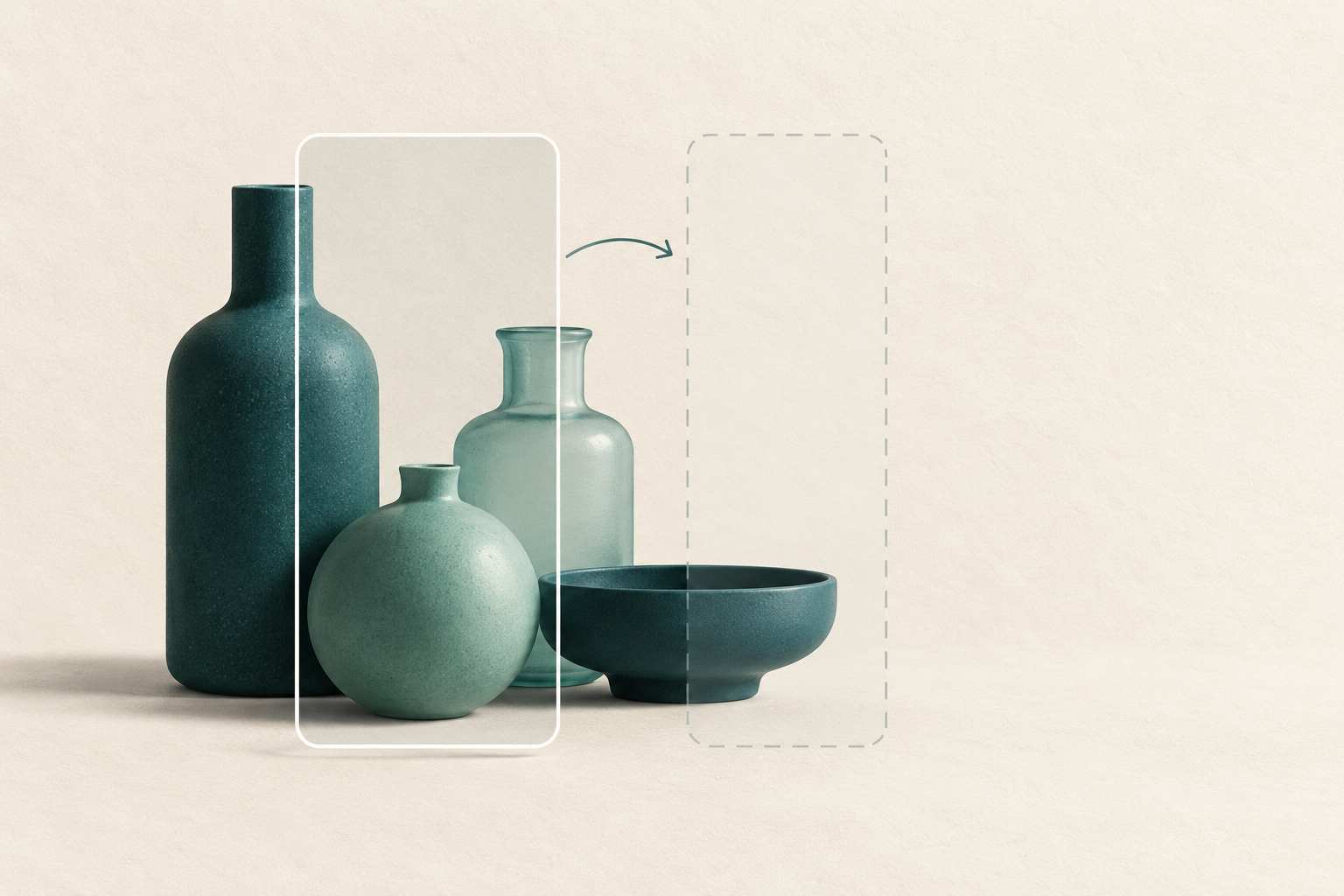
Start with the subjects the brief must keep
The benchmark treats a handbag, bottle, cup, laptop or cell phone as a category with annotated rectangular boxes. Its primary case combines every noncrowd box of one category in one image. If an image contains several bottles, the test requires all of those bottle boxes to remain inside the crop. Objects from other categories do not enter that case.[3]
This requirement is deliberately explicit. A commercial brief may name one hero bottle & permit background bottles to disappear. Our primary test does not make that choice for the creative team. It asks what happens under an all-same-category requirement, then provides a separate individual-box check so the stricter requirement stays visible.
For each ratio, we used the largest axis-aligned crop that fits inside the original frame. We first placed it at the center. If that placement did not contain the whole required group, we checked whether moving the same crop could contain it anywhere inside the source. Neither step added content, rotated the image or changed its scale.[4]
The 3 outcomes therefore answer distinct questions. “Center keeps all boxes” means the first placement passed. “Moving could keep all boxes” means the center failed but another position was geometrically possible. “No position keeps all boxes” means moving that crop alone could not meet the fixed requirement. Touching a crop boundary counted as contained.
A box is an annotation, not a measurement of every visible product pixel. It may contain background, describe a partly occluded object or say nothing about whether a label is readable. Passing the test establishes box containment only. A real review still needs to inspect the intended product, surrounding context & any information the creative must communicate.
Many centered cuts had another possible position
The first table keeps all 5 categories & all 3 ratios in their fixed analysis order. Each category uses the same eligible image/category cases at every ratio. Read the denominator beside the 3 outcome counts; the rows are not sorted to suggest which product category is easier to photograph or more suitable for advertising.
At 9:16, the bottle group illustrates the central distinction. Of 379 cases, 130 kept all bottle boxes in the centered crop. Another 199 failed at the center but could keep every bottle box after moving the crop. The remaining 50 could not meet that all-bottle requirement through translation alone. Combining the last 2 counts would hide the decision the benchmark was designed to separate.
The distinction also appears outside that example. At 4:5, 151 of 292 handbag cases passed at the center, another 108 could pass after moving & 33 could not fit. For cups at 1:1, the corresponding counts were 239, 128 & 23 out of 390. All remaining combinations are retained in the table rather than reduced to a selected headline.
“Moving could keep” is a possibility, not a report that a particular editor or automatic crop service found the position. The calculation searched the permitted position range mathematically. It did not test software defaults, rank alternative compositions or inspect how a translated crop would look to a viewer.
For a producer, that middle column gives a useful reason to keep the original available during review. A rejected centered preview need not end the search. The final column calls for a different conversation: if the exact required boxes cannot fit, more attempts at moving the same frame cannot satisfy that particular brief.
Keep every box of the category: all group outcomes
One case is one image & category, containing every noncrowd box of that category. The same eligible cases are compared at each ratio. Moving is counted only when the centered crop fails but another in-frame position could keep all required boxes.
| Category & target ratio | Eligible cases | Center keeps all boxes | Moving could keep all boxes | No position keeps all boxes |
|---|---|---|---|---|
| Handbags · 1:1 | 292 | 170 | 104 | 18 |
| Handbags · 4:5 | 292 | 151 | 108 | 33 |
| Handbags · 9:16 | 292 | 89 | 151 | 52 |
| Bottles · 1:1 | 379 | 219 | 144 | 16 |
| Bottles · 4:5 | 379 | 189 | 158 | 32 |
| Bottles · 9:16 | 379 | 130 | 199 | 50 |
| Cups · 1:1 | 390 | 239 | 128 | 23 |
| Cups · 4:5 | 390 | 190 | 163 | 37 |
| Cups · 9:16 | 390 | 120 | 203 | 67 |
| Laptops · 1:1 | 183 | 68 | 89 | 26 |
| Laptops · 4:5 | 183 | 53 | 92 | 38 |
| Laptops · 9:16 | 183 | 29 | 84 | 70 |
| Cell phones · 1:1 | 214 | 161 | 44 | 9 |
| Cell phones · 4:5 | 214 | 131 | 70 | 13 |
| Cell phones · 9:16 | 214 | 93 | 98 | 23 |
Keeping one object changes the question
The difference between a group & one object is substantial enough to place beside the main result. At 9:16, 50 of 379 bottle image/category cases could not fit through translation alone. In the separate single-instance check, only 3 of 1,013 individual bottle boxes could not fit. The denominators & requirements differ; these counts are not interchangeable failure rates.
The second table applies the same geometry to each valid noncrowd box individually. An image with several bottles contributes several bottle instances here, whereas it contributed one bottle group above. Each individual box is considered on its own. This does not show that all those individual placements could be achieved together in one crop.
For handbags, every individual box could fit somewhere at each of the 3 ratios, yet some all-handbag groups could not. That contrast is consistent with a simple geometric constraint: several individually manageable subjects can be too widely separated to fit together. It does not establish why anyone arranged the source scene that way or what a campaign should feature.
Laptops also show why the individual check is not a guarantee. At 9:16, 60 of 231 individual laptop boxes could not fit through translation alone. Other rows differ, & the complete sensitivity table preserves them. We have not controlled camera angle, object shape, source orientation or scene composition, so category comparisons cannot isolate a cause.
A team can use this distinction to clarify a revision request. Does “keep the product” mean one named hero item, every item in a set or every item of that type anywhere in the scene? Changing that answer changes the creative requirement. It should be an agreed decision, rather than an invisible relaxation introduced to make a crop pass.
Keep one box at a time: the complete sensitivity check
Every valid noncrowd instance is tested independently. Several objects from one image can contribute several boxes, each considered on its own; their separate feasible positions need not work together in a single crop.
| Category & target ratio | Eligible boxes | Center keeps the box | Moving could keep the box | No position keeps the box |
|---|---|---|---|---|
| Handbags · 1:1 | 540 | 353 | 187 | 0 |
| Handbags · 4:5 | 540 | 316 | 224 | 0 |
| Handbags · 9:16 | 540 | 203 | 337 | 0 |
| Bottles · 1:1 | 1,013 | 754 | 259 | 0 |
| Bottles · 4:5 | 1,013 | 681 | 332 | 0 |
| Bottles · 9:16 | 1,013 | 513 | 497 | 3 |
| Cups · 1:1 | 895 | 659 | 236 | 0 |
| Cups · 4:5 | 895 | 559 | 336 | 0 |
| Cups · 9:16 | 895 | 419 | 466 | 10 |
| Laptops · 1:1 | 231 | 107 | 107 | 17 |
| Laptops · 4:5 | 231 | 79 | 126 | 26 |
| Laptops · 9:16 | 231 | 43 | 128 | 60 |
| Cell phones · 1:1 | 262 | 204 | 50 | 8 |
| Cell phones · 4:5 | 262 | 172 | 83 | 7 |
| Cell phones · 9:16 | 262 | 124 | 126 | 12 |
Treat each frame as its own composition
The 1:1, 4:5 & 9:16 ratios are fixed test shapes, not a statement of current Instagram specifications or a recommended format policy. For an Instagram photo cropping job, confirm the intended placement & its requirements with the person preparing the export. This study answers a narrower question about subjects fitting inside a specified frame.
All source orientations remained eligible. A landscape original & a tall portrait original interact differently with the same target ratio: one crop may remove width, while another removes height. The tested crops are therefore not universally nested inside one another. There is no general rule here that moving from square to a taller ratio must worsen every individual case.
The source mix also differs by category. Handbag groups included 210 landscape, 10 square & 72 portrait cases; laptop groups included 157, 2 & 24. Those are coverage counts, not adjusted comparisons. We retained the mix instead of filtering for landscape images after seeing outcomes, but that decision does not make the categories comparable commercial populations.
For the actual assignment, inspect each required composition separately. A square approval does not approve the portrait version automatically. Nor does a failure in one ratio establish that another approved layout will fail. The useful record identifies the source, the required subjects & the exact frame reviewed, so the next person can understand what the approval covers.
A fictional two-bottle job makes the choice concrete
Imagine a small drinks brand asking a creator to adapt an approved landscape image to a 4:5 portrait composition. The invented source is 1,600 pixels wide & 900 pixels high. Its largest 4:5 crop is 720 by 900 pixels. The brand, image, coordinates & assignment in this example are fictional; they are not a COCO observation or a measured production outcome.
Suppose the required bottle box runs from horizontal coordinate 100 to 400, & from vertical coordinate 100 to 800. A centered crop spans horizontal coordinates 440 to 1,160, so it misses that box. Moving the crop to start at 100 gives a horizontal span from 100 to 820 & contains the whole invented box. Here the original problem is position.
Now add a second required bottle box from horizontal coordinate 1,000 to 1,300, with the same vertical extent. Together, the 2 boxes span 1,200 pixels horizontally. They cannot both fit inside a 720-pixel-wide crop by moving it. Each could fit separately; the requirement to keep both creates the conflict.
The account lead has several choices to discuss with the creator. They could select another approved image with the pair closer together, use a layout that contains the source with padding or ask whether the brief should feature one named hero bottle instead. These are proposed production options, not benefits tested by our annotation analysis.
If the brand needs both bottles, dropping one without approval changes the assignment. If it needs only the hero bottle, insisting on every background bottle may add an unnecessary constraint. The benchmark cannot decide which message is correct. Its value in this example is exposing which requirement the crop can & cannot meet.
After the team agrees a version, the reviewer still needs to see it at the intended presentation size. Keeping both boxes says nothing about readable packaging, an obscured offer or an awkward balance of space. Geometry can settle a fit question while leaving other creative & factual checks open.
Put the crop requirement in the handoff
A short brief can carry the missing decision between the business, photographer, designer & creator. Keep it with the approved source rather than relying on a message that says only “portrait version needed.” The details should identify what is required to remain, what may change & who can approve that change.
Copy this blank template: “Approved source & version: __. Intended placement & frame ratio: __. Required named subjects or group: __. Details that must remain readable: __. May reposition the crop: __. May add padding or choose another approved source: __. Person approving a changed requirement: __. Reviewed version & date: __.” The team fills these fields from the actual job, not from this dataset.
The required-subject field should be specific enough for another person to apply. “Both bottles in the launch set” differs from “the bottle nearest the front.” A label, face or offer might need its own check even when its surrounding object box fits. The source annotations did not define those commercial priorities.
When the center cuts something required, first inspect whether another position can preserve the agreed subjects. If the group cannot fit, bring the asset or composition choice back to the approver. Keeping that distinction in the handoff gives a reason for the revision without claiming that the dataset predicts how many revisions a team will avoid.
The illustrated steps below describe that proposed review sequence. The padding shown in the final scene is one possible layout choice when an edge-to-edge crop cannot keep both forms. It is not evidence that padding is allowed for every placement or that the resulting layout will perform better.
Carry the required subjects through the crop review
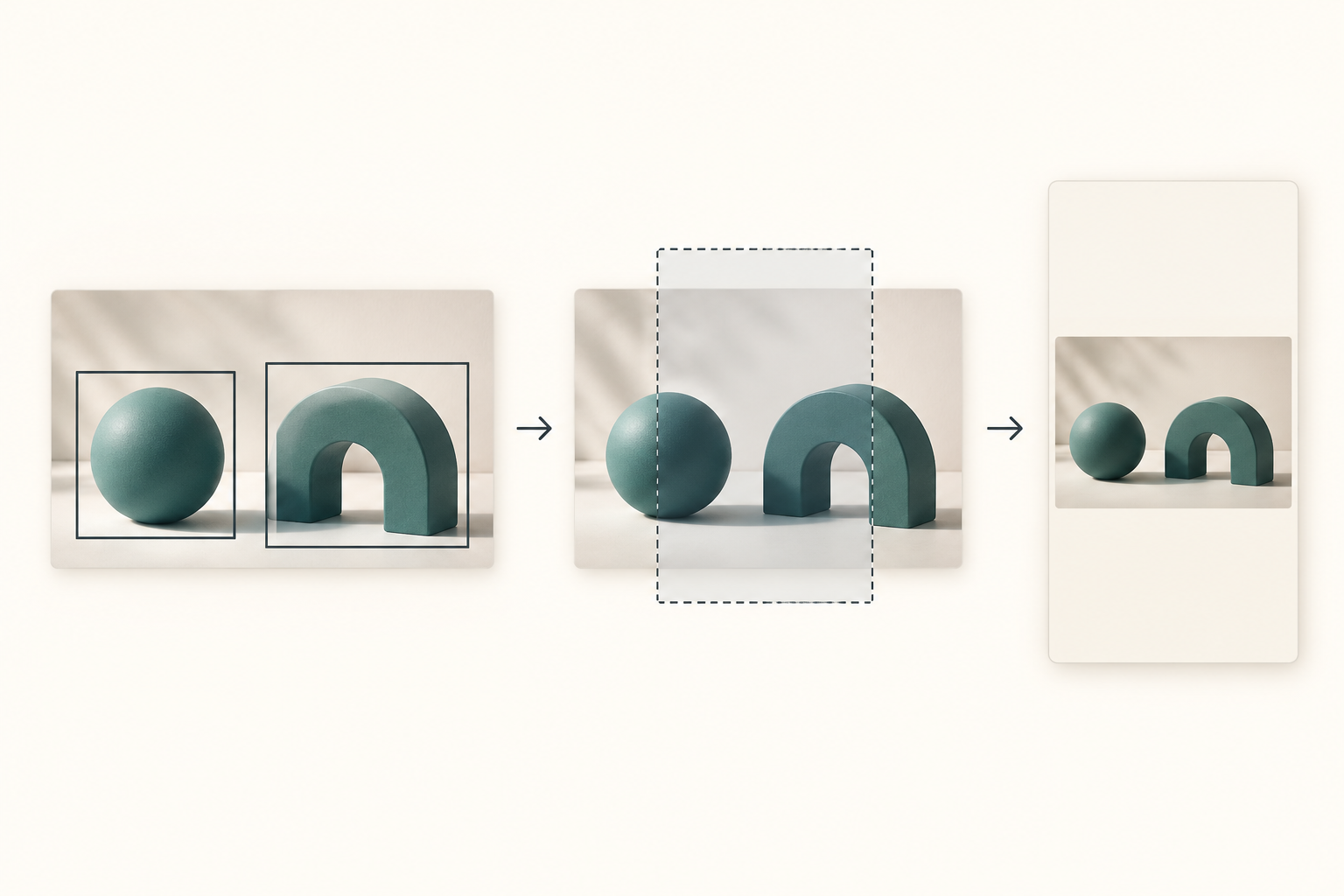
Name what must remain
Agree the required subjects & details, with the exact source version.
Check the intended frame
Review the centered crop at the required ratio, separately from export size.
Try position, then resolve fit
If moving cannot keep the required group, agree another asset, layout or brief.
Review the agreed version
Check the actual composition, readable details & approval scope.
How the annotated comparison was made
COCO is a research dataset of objects in context, including cluttered scenes & multiple objects. It was not assembled as a representative set of commercial product photographs. We used its 2017 validation instance-annotation split, which identifies 5,000 images. The split name refers to its release, not the year every photograph was captured.[1][2]
The annotation member was acquired on October 24, 2026 (UTC). We checked its complete checksum & retained its exact source identity. We did not acquire, view or classify the photographs. The analysis used recorded image dimensions, category IDs, crowd flags & box coordinates; no aesthetic judgment or object-pixel measurement was added.
The 5 categories, 3 ratios, group requirement, individual sensitivity & exclusion rules were fixed before crop outcomes were calculated. The primary analysis included 1,458 eligible image/category cases. The separate instance analysis included 2,941 valid boxes. A single image can appear under more than one category, so the group total is neither a unique-photo count nor a set of independent population draws.
We excluded 16 crowd annotations: 12 bottles & 4 cups. No selected noncrowd instance or primary group failed the declared validity rules. The source also contains categories outside the fixed 5; those were not added after outcomes. All eligible cases within a category remained in the comparison at every ratio, with the same denominator.[3][4]
Coordinates were evaluated as exact fractions derived from source decimal tokens. Crop containment included equality at the boundary. The tables show integer counts, while the downloadable summaries retain exact count fractions. The calculation describes this finite annotation set; we report no confidence intervals, population estimates, commercial failure forecasts or causal category effects.
- Download the 120 displayed counts (CSV)
- Download all 1,458 group cases at all 3 ratios (CSV)
- Download all 30 group & individual-box summary rows (CSV)
- Download the annotation source, method & reproduction code (ZIP)
No sign-up required. Both complete tables & every eligible group-ratio record are included. The shared package contains English method documentation, exact annotation-source identity & reproduction code. COCO annotation rights do not grant rights to the underlying photographs; no photos are redistributed.[8]
Use the benchmark to ask a more specific revision question
Preserving a region while changing aspect ratio is an established cropping problem. Prior work has considered whether a region can fit a chosen ratio, compared centered fixed-ratio crops with editor choices & measured retained foreground under other crop procedures. Our contribution is this fixed, paired inventory & its group-versus-instance distinction, rather than a new cropping algorithm.[5][6][7]
For your own approved image, a careful manual crop review remains the most direct answer. The corpus table cannot tell you which object sells the product, which background detail matters or whether a chosen composition feels right. It can explain why “the center cuts it” & “no position can keep the required group” deserve different responses.
Keep this question separate from pixel dimensions as well. A source can be large enough for an export & still place required subjects too far apart. Conversely, a geometric fit does not establish that enlarging a small source will produce an acceptable image. Our related gallery-size study addresses the dimensions question; this benchmark adds the annotated subject-fit question.
When a crop comes back for revision, attach the intended frame & name what must remain. Then decide whether to try another position, choose another approved source or change the layout or brief with permission. The benchmark supplies a concrete distinction for that conversation. The actual creative, its rights & the final presentation still need their own review.
Research notes
- COCO Consortium, official data download documentation & 2017 train/validation annotation release. The validation split identifies 5,000 images. “2017” names the split release, not the capture year of the photographs. Influence IQ acquired the complete instances_val2017.json annotation member on October 24, 2026 (UTC), without image pixels. The public package records the source URL, member name & exact SHA256.
- Lin et al., Microsoft COCO: Common Objects in Context. The dataset was designed around objects in context & non-iconic scenes, including multiple objects. Its research collection does not establish representativeness for product catalogs, creator assets, Instagram posts or current commercial campaigns.
- COCO Consortium, instance-annotation format. Boxes use image-coordinate x, y, width & height; iscrowd distinguishes crowd annotations. Our fixed primary unit contains every noncrowd box of one selected category in one image. Crowd annotations are excluded & counted separately. Complete-box containment does not measure retained object pixels, recognition, readability or visual quality.
- Influence IQ calculations, fixed before crop outcomes: handbag, bottle, cup, laptop & cell phone; ratios 1:1, 4:5 & 9:16; largest in-frame axis-aligned crop; center first, then translation feasibility. All selected noncrowd boxes form the primary group; each valid instance is also checked separately. Exact fractions preserve source decimal coordinates, with inclusive boundaries. The package retains all 4,374 group-ratio rows, all 30 summaries, coverage, exclusions & reproduction code. No source photos were acquired.
- Zhang, Leszczuk, Miglino & Ye, Automatic Adaptive Image Cropping to Preserve Regions of Interest, Technical Disclosure Commons (2022). This prior disclosure already considers comparing a region of interest with candidate crop dimensions to preserve it at an aspect ratio. Translation feasibility is not presented here as a new algorithm.
- Christensen & Vartakavi, An Experience-based Direct Generation approach to Automatic Image Cropping. The paper compares fixed-ratio crops with editor-produced crops & includes a largest-fitting centered baseline. Its editor-agreement measures differ from this benchmark’s complete annotation-box containment. The comparison is prior context, not validation of a commercial crop service.
- Liu et al., PixMIM: Rethinking Pixel Reconstruction in Masked Image Modeling (2023). The paper examines foreground coverage under image preprocessing, including center crops, using a different dataset, masks & outcome. This is prior evidence that crop procedures can remove foreground; our box-containment counts must not be read as the same pixel-coverage metric.
- Source: COCO Consortium, COCO2017 validation annotations, licensed under CC BY 4.0. Selection, geometry calculations, tables, interpretation & translations are adaptations by Influence IQ; no endorsement is implied. COCO distinguishes annotation licensing from the separate copyrights in the underlying Flickr images. No source photographs were acquired or redistributed. Original conceptual artwork is not COCO imagery.
The English article is the source for all language versions. Every edition describes the same fixed COCO annotation set, categories, ratios & calculations. Article language does not create evidence about a new market. Influence IQ is responsible for the selection, analysis, interpretation & translations.