Guides
Cross-Posting on Social Media: Adapt One Message for Each Channel
Published by Influence
Last checked
Cross-posting means sharing the same underlying message on more than one social channel. Keep the facts consistent, but adapt the opening, explanation, media and next step to each destination. Copying identical text everywhere can leave broken mentions, unsuitable crops or instructions that only make sense on the original platform.
This guide starts with a finished message. Turning a long article or video into new pieces of content is a different task, covered in the content repurposing guide. Cross-posting focuses on preparing versions of one message for several audiences.
Download template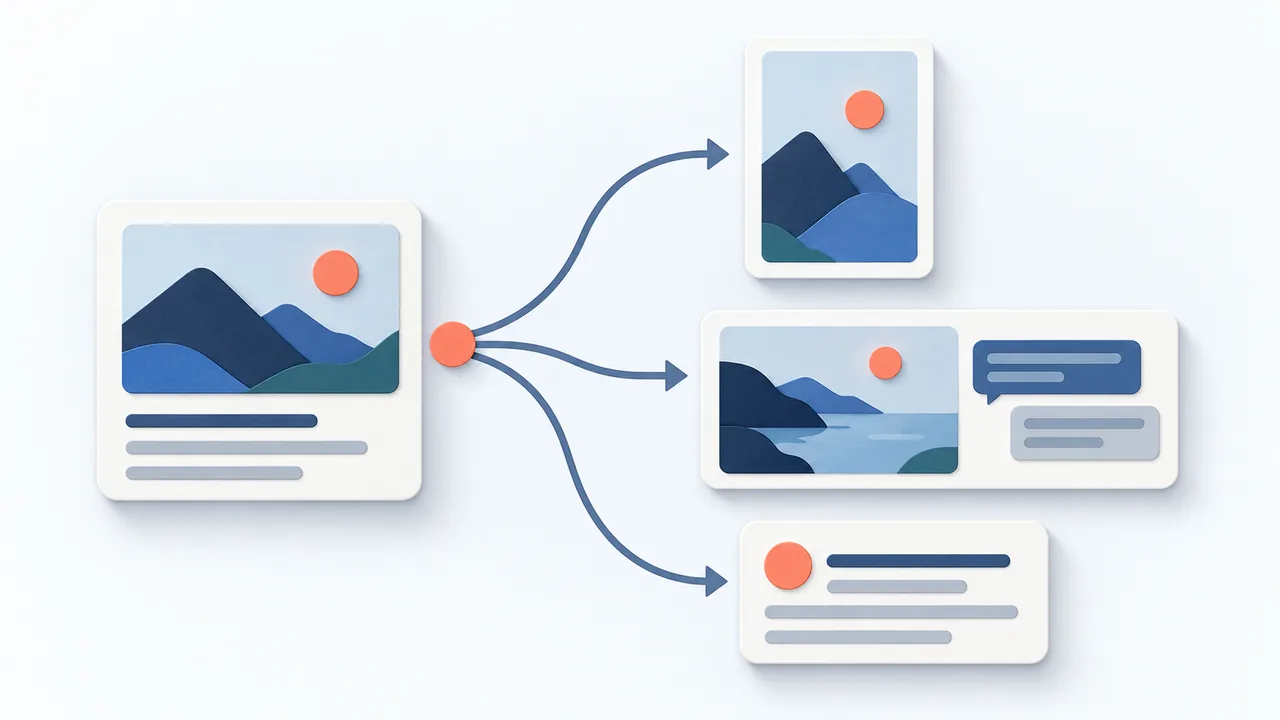
Decide whether the message belongs on each channel
Ask what the reader needs on each destination. A local workshop invitation might suit Instagram and Facebook; a lesson about running the workshop might also suit a professional audience. You do not need a version for every account just because it is connected.
Keep a shared fact sheet for the offer, dates, inclusions and limitations. Then let the expression differ. An Instagram caption can lead with the visible object; a LinkedIn version can explain the problem or professional lesson. Adaptation is useful when it gives that audience clearer context.
Copy the adaptation checklist
Shared message: [The one thing every version must communicate.]
Facts that must match: [Dates, price, terms, availability and limitations.]
Destination and audience: [Exact account and who will read it.]
Opening and context: [Why this audience should care.]
Media and format: [Suitable, authorized assets and crop.]
Next step: [A destination-appropriate action or working link.]
Final review: [Mentions, links, wording, media, date and time zone.]
Adapt in a deliberate order
- Freeze the verified facts before rewriting. If they change, update every affected draft.
- Choose the audience angle and opening for each destination.
- Adjust the length and structure without removing material conditions.
- Prepare media for the selected format, checking previews and readable text.
- Replace mentions and next steps with versions that work on that channel.
- Review and approve each account’s post and schedule separately.
A link pasted into a caption does not behave the same way on every platform. Check the actual destination instead of copying instructions such as “link in bio” into a channel where they are meaningless. Avoid claiming a scheduling tool adds features that the destination or account does not support.
Worked example: one workshop, two versions
Fictional example: Maple & Clay offers a beginner mug workshop. Clay and tools are included, and pieces remain for firing. The studio has an authorized workbench photo. These are sample drafts, not published posts or evidence of results.
Instagram draft
Fictional example
From a piece of clay to your first mug. Our beginner workshop includes the clay and tools, with guidance on shaping the cup and attaching its handle. Your piece stays with us for firing afterward. See the workshop details through our profile link before booking.
This version makes sense only after the studio confirms that its profile link leads to the current workshop details. The photo should show the activity clearly, with important details readable at phone size.
LinkedIn draft
Fictional example
A beginner workshop works best when the first step feels clear. At Maple & Clay, we provide clay and tools and guide participants through shaping a mug and attaching a handle. The session introduces the making process; finished pieces are collected after firing. If you’re considering a first pottery class, read the workshop details before booking.
The second version explains the learning experience. It preserves the supplied facts while changing the opening and context. Add the verified booking destination when preparing the real post; do not invent a link or imply that a sample URL is live.
Keep review and delivery separate
In Influence, prepare the text and supported media for each connected account, then inspect the final review before confirming publication or scheduling. One account’s successful delivery does not prove that every destination succeeded. Check each later result and investigate an uncertain outcome before trying again.
Use the calendar template with a separate row per account. That makes dates, media, ownership and changes visible without treating the entire campaign as one indistinguishable item. Keep publication times as planning choices, not guaranteed “best times.”
Frequently asked questions
Is cross-posting bad for reach?
There is no universal outcome. Judge whether the version is useful for its audience and technically appropriate for the destination. Do not assume identical wording is automatically penalized or that rewriting guarantees more reach.
Can I use the same image?
Yes, if you have permission and it suits each format. Preview the crop and check any text on the image. The Instagram image guide helps with that destination’s preparation.
Is this the same as cross-promotion?
Cross-promotion directs people toward another channel, account or offering. Cross-posting distributes versions of the same message. A post can do both, but each still needs a clear purpose.
Sources and next steps
The adaptation examples are editorial exercises. Supported account behavior and approval steps are described in How Influence works. Complete one pair of versions and review the differences before extending the message to additional channels.