Do link preview images have descriptions?
The description of a photograph on a news page can be missing from the preview for that same article.
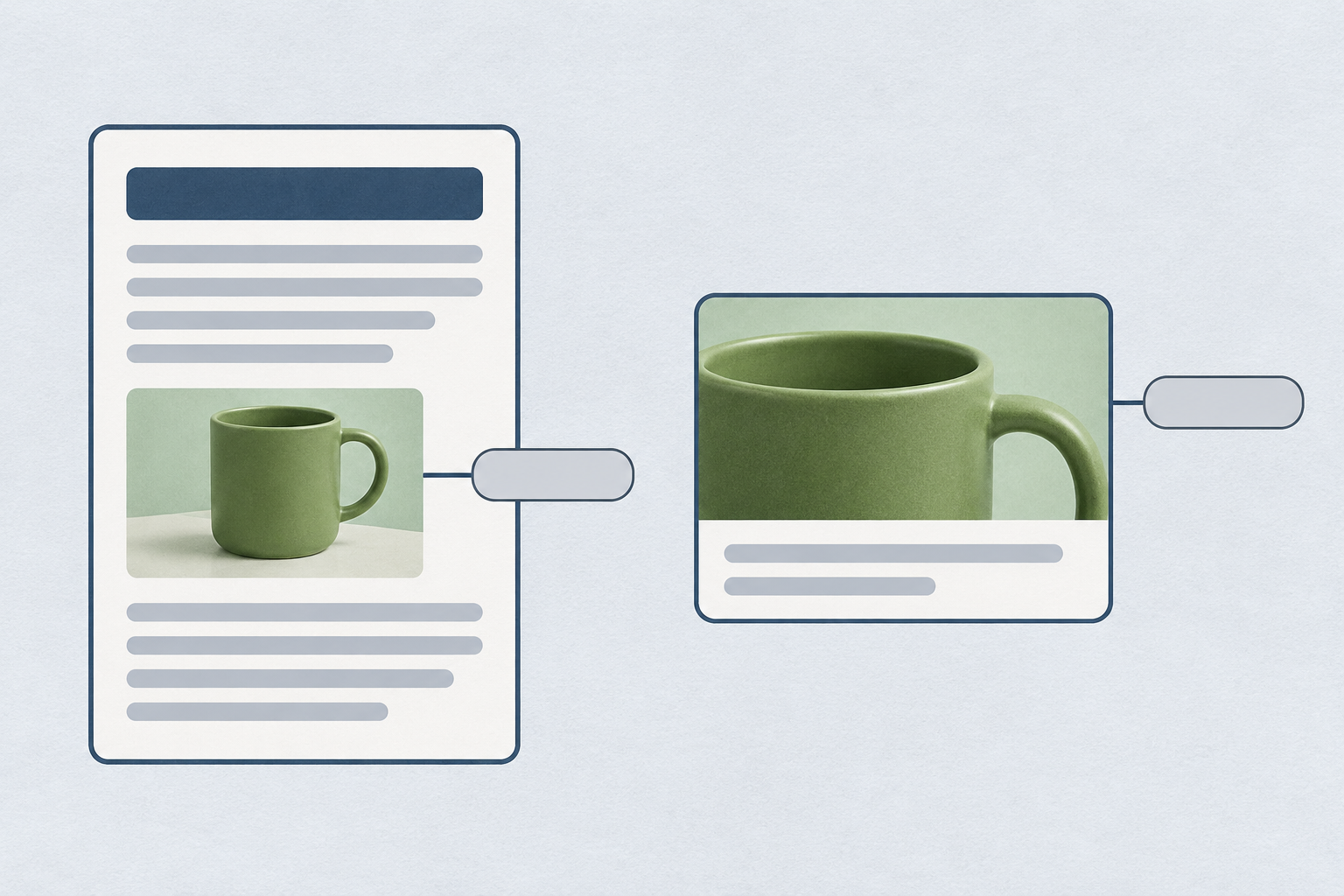
When someone shares a link, a messaging or social app may show a small card with a picture. A publisher can supply words describing that preview picture for people who cannot see it. The words come from a different part of the page code than the article photograph’s own description. What the app displays or reads aloud depends on how it uses those fields.[1]
The short answer
We could read nine of twelve selected articles. Seven of the nine supplied no description text for the first preview image. In six cases, the publisher omitted the description field. In one, it was present but blank.
One image, 2 places

What the preview images included
IKEA’s article about its updated FRAKTA bag supplied a description for a photograph in the story. The page pointed to exactly the same image address for the link preview, but supplied no description field for that preview. Using the same file did not carry its article description over.[1][2]
We requested the page code for one article each from twelve publishers. Nine pages returned readable code. All nine named an image for Open Graph, a format publishers use to supply information for shared links. Three other sites returned an access error, HTTP 403, so we could not read their image fields.
Of those nine first preview images, two had descriptions, one had a blank description field and six had no description field. That makes seven with no description text. The check shows what the pages supplied. The app displaying a link may choose how to use it.
Descriptions for the first preview image
One article per publisher was checked for a description of its first preview image. The groups are the first 4 articles from an earlier pilot and the next 8 selected articles. Pages whose requests returned HTTP 403 remain in the sample.
| Articles checked | Description provided | Field blank | Field missing | Page unavailable |
|---|---|---|---|---|
| First four articles | 0 | 1 | 3 | 0 |
| Next eight articles | 2 | 0 | 3 | 3 |
How an image can have separate descriptions
In HTML, an image’s alt field supplies a description for the image on the page when one is needed. Open Graph uses a separate field called og:image:alt for the image specified for sharing. The protocol describes this field as a description of what is in the image. When a page specifies more than 1 preview image, check that each description belongs to the right image. [1]
The other 2 cases were from GitHub and the Wikimedia Foundation. Each had at least 1 article image with alt text whose address shared the host and file path of the first preview image, but used different sizing settings. Neither first preview image had a description field. On NASA’s page, the pattern was reversed: the article image matched by host and path had blank alt text, while the first preview image had a description. Different sizing settings can change how an image is cropped or displayed. [3] [4] [5]
What a description needs to say can depend on where the image appears. An article might say that a local potter made a green mug, while a cropped preview shows only the mug and its white handle. The preview description could say “Green ceramic mug with a white handle.” An image that serves only as decoration on the page may appropriately have an empty alt field. [6]
How to check a link preview
Open the exact page you plan to share and find the article image in your site editor. Check its alt text in context. Consider what the image communicates that the surrounding text does not. For a photo illustrating a recipe, the finished dish may matter more than the edge of the plate. If the photo shows a key step, describe what a reader needs to understand that step. [6]
Check the page’s sharing settings too. In HTML, look for the first og:image entry and the og:image:alt associated with it. If you cannot find a sharing-description setting, ask whoever manages the site to check the HTML. If the site lets you choose a separate preview image, describe the image selected for sharing. A title, caption or article summary serves a different purpose from a description of what is in the picture. [1] [7]
After saving any change, preview the exact address you plan to share, including the right language version if there is more than 1. Use a private preview in the app where you’ll share it to see which image it selects. If the app shows or announces an image description, check that too.
Check both image descriptions
Find the article image
Check whether its alt text describes what matters where the image appears.
Find the preview image
Check the page’s sharing settings or HTML for a description of the first preview image.
Test the link
Preview the exact link in the app your readers use. Check the image and, where the app exposes it, its description.
How the pages were compared
We selected 1 English-language article per publisher and requested each page twice. The first 4 articles came from publishers in an earlier pilot. The next 8 came from technology companies, government agencies, nonprofits and retailers. We compared the first declared Open Graph image with article image addresses in the returned HTML. Two HTML parsers agreed on the recorded fields and classifications in both requests.
We first compared the full web addresses for the preview image and the image in the article. To count as an exact match, the complete addresses had to agree after resolving the article image’s src field. We separately counted images with the same HTTPS host and file path but certain differences in sizing or delivery settings.
A blank description meant the field existed with no text inside. An omitted description meant the field itself was missing. We kept the three unavailable pages in the group of 12. The check describes the code returned by the sites. What an app shows or a screen reader announces depends on how it uses that code.
The ZIP includes the source pages, the recorded checks and instructions in English for repeating them.
Sources and notes
An audit of 12 publisher articles; 9 returned readable HTML
- The Open Graph protocol, image properties and how they are grouped.
- IKEA, newsroom article about the updated FRAKTA bag.
- GitHub, article about GitHub Universe 2026.
- Wikimedia Foundation, article about Wikipedia being recognized as a digital public good.
- NASA, article about plans for the Artemis program.
- W3C Web Accessibility Initiative, deciding what to put in the alt attribute of a page image.
- Google web.dev, HTML metadata for images used in Open Graph cards.